
Shypr Driver1.2.3 - App Store
You'll be able to see results in few seconds.
Publisher Description

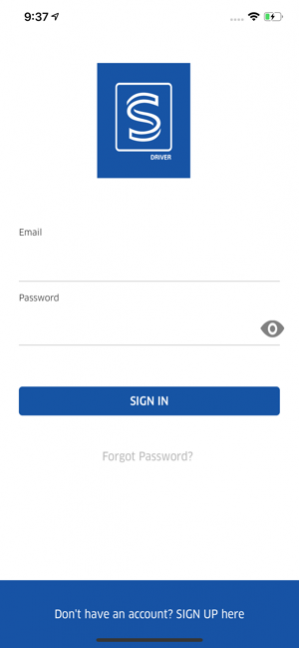


Help move packages and freight where they need to go. Do deliveries whenever you want — no offices, no bosses. Wherever you're heading, short trip or long haul we want you to enjoy the journey and destination.
Sign up to drive inside the Shypr Driver app. We’ll guide you through the steps and notify you when you’re all set to drive.
A smarter way to earn
Keep track of how much you’re making after every trip.
Schedule doing deliveries around your town or across country. Plan your days easier with estimated times until your next pick up and a forecast of Sender or Shipper activities in your area over the next upcoming hours.
The support you need
Take the fear out of your first deliveries — you’ll learn how to use the app when you first open it.
Get the help you need with an easy in-app tool to report issues or ask questions.
About Shypr Driver
The company that develops Shypr Driver is Shypr Inc. The latest version released by its developer is 1.2.3.
To install Shypr Driver on your iOS device, just click the green Continue To App button above to start the installation process. The app is listed on our website since 2019-11-20 and was downloaded 0 times. We have already checked if the download link is safe, however for your own protection we recommend that you scan the downloaded app with your antivirus. Your antivirus may detect the Shypr Driver as malware if the download link is broken.
How to install Shypr Driver on your iOS device:
- Click on the Continue To App button on our website. This will redirect you to the App Store.
- Once the Shypr Driver is shown in the iTunes listing of your iOS device, you can start its download and installation. Tap on the GET button to the right of the app to start downloading it.
- If you are not logged-in the iOS appstore app, you'll be prompted for your your Apple ID and/or password.
- After Shypr Driver is downloaded, you'll see an INSTALL button to the right. Tap on it to start the actual installation of the iOS app.
- Once installation is finished you can tap on the OPEN button to start it. Its icon will also be added to your device home screen.
Program Details
System requirements
Download information
Pricing
Version History
version 1.2.3
posted on 2019-11-20
Feb 21, 2020 Version 1.2.3
-Bugs Fixed
version 1.2.3
posted on 2019-11-20
Mar 6, 2020 Version 1.2.4
Added Digital Signature and Image before the service and after delivery
version 1.2.3
posted on 2019-11-20
Mar 20, 2020 Version 1.2.5
-Bug Fixes
- Design Improvising
version 1.2.3
posted on 2019-11-20
20 มี.ค. 2020 Version 1.2.5
-Bug Fixes
- Design Improvising
version 1.2.3
posted on 2019-11-20
2020年3月20日 Version 1.2.5
-Bug Fixes
- Design Improvising
version 1.2.3
posted on 2019-11-20
20 mar 2020 Version 1.2.5
-Bug Fixes
- Design Improvising
Disclaimer
Official App Store Link
We do not host Shypr Driver on our servers. We did not scan it for viruses, adware, spyware or other type of malware. This app is hosted by Apple and passed their terms and conditions to be listed there. We recommend caution when installing it.
The App Store link for Shypr Driver is provided to you by apps112.com without any warranties, representations or guarantees of any kind, so access it at your own risk.
If you have questions regarding this particular app contact the publisher directly. For questions about the functionalities of apps112.com contact us.
